


Camera HD for Android - 4K Cam
4.432.00 Reviews
App Specs
- Version
- 14.0
- Updated On
- License
- Free
- Downloads
- 500,000+
- Developer
- Antheia Tools
- Categories
- Photography
- Platform
- Android
Screenshots
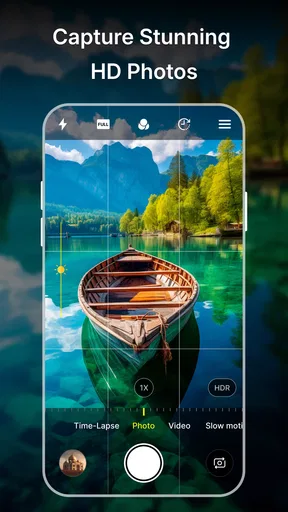
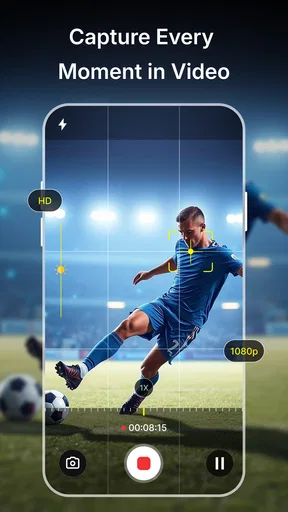
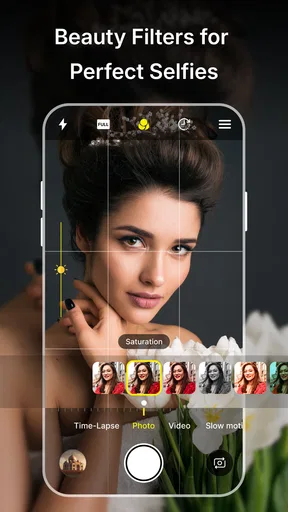
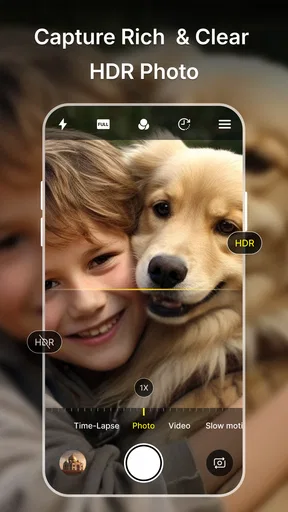
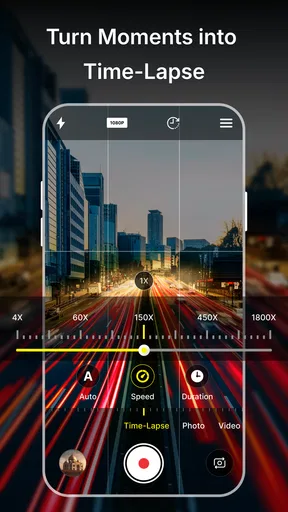
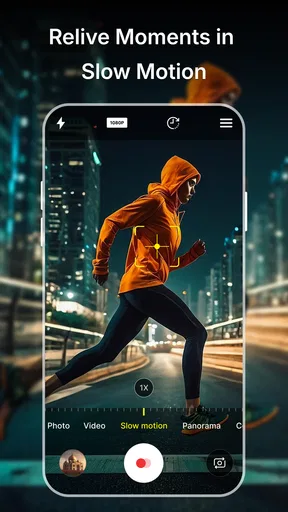
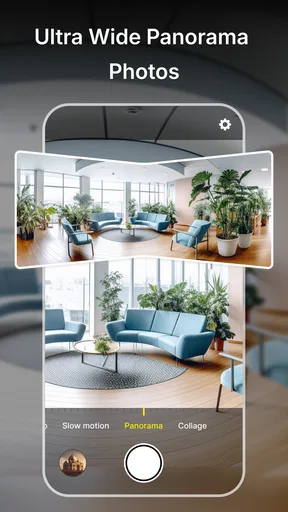
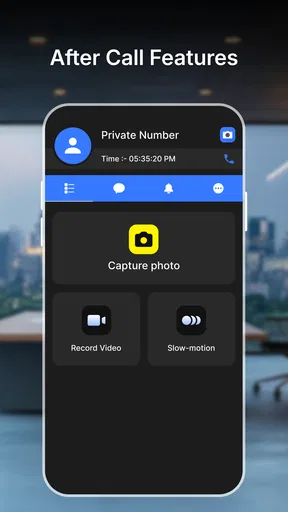
 Analysis by AppCompare
When I’m choosing a camera app, I care about more than the shot itself: I want the controls to make sense when I’m in a hurry, and I don’t want network uncertainty to become another thing to manage. Camera HD for Android - 4K Cam is a free photography app from Antheia Tools, and its focus is straightforward: give Android users a camera interface with photo, video, filter, selfie, and manual-control options. It has an average rating of 4.2 from around a thousand ratings, with over 500,000 installs. That makes it a familiar option to consider, though popularity alone can’t tell you whether its controls suit your way of shooting.
What a connection changes—and what it doesn’t
A network connection matters most after I have taken a photo: editing, deciding what to share, and moving the finished image into the app I use to post or send it. For the actual act of framing a shot, my priority is being able to reach the camera controls quickly. I wouldn’t choose a camera app on the assumption that every part of its workflow works without a connection; instead, I’d check how it behaves on my own phone before relying on it for a trip or an important moment.
That distinction is useful if you are comparing it with your phone’s built-in camera. The built-in app is often the safer choice when you need a familiar, predictable route from camera to gallery. A separate camera app can be appealing when you want a different control layout or additional creative options, but it also adds another interface to learn. For me, the sensible test is not a dramatic photo shoot: take a few ordinary pictures, switch between photo and video, and see whether the controls feel easy to find when you are not connected to your usual network.
On the move, where speed matters
Picture a quick stop at a market: I spot a colorful display, have only a moment to frame it, and want a photo before the crowd shifts. In that situation, a clear camera screen is more useful than a long list of advanced options. Camera HD’s promise of accessible controls and filter options could suit someone who likes to make a quick visual choice, while manual adjustments are there for a slower, more deliberate shot. I’d set up the controls and try a few test captures at home first rather than learning the layout in the middle of a busy moment.
For travel, school activities, or a walk where I expect to take both stills and clips, the app’s photo-and-video focus makes it worth trying as an alternative camera interface. But a claimed 4K option should not be treated as a guarantee that every phone will capture 4K in every situation. Actual recording choices and results can depend on the device. If a clip matters, check the available settings and make a short test recording on your own phone before you rely on it. That small check can help avoid discovering a device limitation after the moment has passed.
When something goes wrong, keep a fallback
A camera app is only useful if it is ready when you need it. If the screen feels slow, a mode change takes longer than expected, or a capture does not look right, I would switch to the phone’s native camera rather than miss the moment while troubleshooting. Afterward, reopen the app and try the same action in a quiet setting. This is a practical way to tell whether the issue came from the chosen mode, the phone, or simply the pressure of a rushed shot—without assuming that a network connection is the cause.
I also recommend checking a photo before deleting or editing the original. If a filter makes a portrait look too strong, or a crop removes something you wanted to keep, starting again from the unedited image gives you more room to choose. This is especially useful when you are taking several versions of the same scene: keep one straightforward capture, then experiment with edits on another. It is a simple workflow, but it makes quick creative choices less risky.
Worth Reading Before You Choose

EA SPORTS FC Mobile 26 Is a Bigger Football Game, but It Takes Time

Flipboard Shows What News Apps Must Do Beyond the Feed

Switching to Android Auto Means Rethinking Your Driving Routine

Google Calendar Makes a Crowded Week Easier to Manage

Ludo King Makes the Most of the Minutes Between Plans

Baby Panda World Brings Quick Play to Modern Phones, but Its Game Library Feels Busy
Making sharing more deliberate
Filters and in-app adjustments can help prepare an image before it reaches a social app, but I would treat that as a finishing step rather than a reason to assume the whole sharing process is independent of connectivity. If the network is weak, taking the picture and choosing an edit are separate from sending or posting it. I’d finish the image when convenient, then share once the connection is dependable. That approach also gives me a chance to check framing and brightness before the photo leaves the camera workflow.
For anyone watching mobile data use, the practical question is usually not the shutter button but video and later sharing. A high-resolution recording can be more demanding to store or send than a casual still, so I’d reserve the highest available video setting for clips where detail matters and use a lower choice when the clip is only for a quick message, if the phone offers that choice. I would also use Wi-Fi for uploading larger videos when that is convenient. These are general, device-conscious habits, not claims about a special data-saving mode in the app.
First Impressions and Interface
Upon downloading and opening the Camera HD for Android - 4K Cam, the first thing that hits you is its sleek and intuitive interface. It’s designed to mimic the feel of a professional camera, which is pretty cool. You’ve got all your essential controls right at your fingertips without needing to dive through endless menus. The simplicity is refreshing, and it’s clear this app is made for ease of use.
Features That Stand Out
Now, let’s talk features, because this app is packed with them. The standout feature has to be the ability to shoot in 4K resolution. Yes, you read that right—4K! It’s like having a mini film studio right in your pocket. The image clarity is phenomenal, and the color reproduction is on point. Whether you’re capturing landscapes, portraits, or bustling city streets, the 4K capability ensures every detail pops.
Another feature I love is the manual mode. It gives you full control over shutter speed, ISO, and focus, just like a professional camera. For those who like to tweak their settings and get creative, this is a dream come true. I spent an afternoon experimenting with different settings, and it genuinely felt empowering to have that level of control.
Performance and Usability
In terms of performance, this app is snappy. There’s no lag, which is crucial when you’re trying to capture that perfect moment. I tested it in various lighting conditions, and it didn’t disappoint. Low-light performance is surprisingly good, which is usually a sticking point for smartphone cameras. The app uses advanced algorithms to enhance images taken in dim conditions, and the results are impressive.
Usability-wise, it’s clear the developers have put a lot of thought into the user experience. The app is intuitive enough for beginners but robust enough for seasoned photographers. With just a few taps, I was able to switch between modes, adjust settings, and capture stunning images.
Additional Tools and Editing Options
While the camera capabilities are the main attraction, the app also offers built-in editing tools. After snapping a pic, you can immediately dive into editing without needing a separate app. The editing suite includes filters, cropping tools, and adjustments for brightness, contrast, and saturation. It’s like having a mini Photoshop in your pocket.
I particularly enjoyed playing with the filters. They’re tastefully done and can really enhance your photos without making them look over-processed. The ability to quickly adjust and share photos directly from the app is a bonus, making it super convenient for social media sharing.
Who will get the most from it
I see this app as a reasonable fit for someone who wants to explore manual controls without carrying a dedicated camera, or for a casual photographer who likes adjusting a picture before sharing it. Its Everyone content rating makes it broadly suitable, and it runs on Android 11 or later. The current version is 13.0, so anyone considering it should check that their phone meets the operating-system requirement before installing.
It is less compelling if your main priority is the most dependable point-and-shoot experience on your particular phone. The built-in camera is a better first choice when you already like its results, need a familiar shortcut, or want the fewest steps between taking a picture and finding it in your gallery. If you shoot for work and need a consistent, carefully controlled workflow, I would test Camera HD side by side with your native camera before making it your default. Different phones can produce different results, and a feature label by itself cannot settle that comparison.
A useful test before making it your default
Try the app in three situations: a bright outdoor scene, an indoor room, and a short video you can review afterward. In manual mode, change one setting at a time rather than adjusting shutter speed, ISO, and focus all at once. That makes it easier to see which control helped and which made the image harder to capture. For moving subjects, prioritize getting the moment over perfecting every setting; manual control is most useful when you have time to compose and repeat a shot.
Before an outing, I’d also check that I can find the resulting photos and clips in the place I expect on my phone. This is a basic but worthwhile habit with any camera app, especially if I plan to edit in one place and share from another. If the workflow feels awkward, I would keep the app for experiments rather than forcing it into everyday use. A camera tool should make taking a picture feel easier, not turn a quick snapshot into a sequence of avoidable steps.
Final Thoughts
So, is Camera HD for Android - 4K Cam worth the download? In my opinion, absolutely. It brings professional-level photography to your smartphone, and the 4K video capability is a standout feature. The app is easy to use, packed with features, and delivers stunning results. Whether you’re a casual snapper or a budding photographer, this app is a fantastic tool to have in your arsenal.
If you’re ready to take your mobile photography to the next level, this app is definitely worth checking out. It’s available for download on the Android platform, and I highly recommend giving it a shot. Trust me, you won’t be disappointed!
My connectivity verdict
For me, Camera HD is best approached as an optional camera interface to test in your own routine, not as a promise that every step—from capture to editing to sharing—will behave the same on every phone or network. Its appeal is the combination of a straightforward camera layout, manual controls, filters, and video options. The trade-off is that a separate app still has to earn its place against the camera already on your device, and demanding video settings deserve a quick device-specific check.
If you want an easy way to experiment with camera controls and polish a photo before sharing, it is worth trying; it is free, and its 4.2 average from around a thousand ratings gives a rough sense of how other users have received it. I’d keep the native camera ready for fast or important moments until I had tested this one, then decide based on the results and the comfort of the workflow. That is the fairest way to judge whether its extra options are genuinely useful to you.
Pros
- High-resolution 4K video recording.
- User-friendly interface for easy navigation.
- Advanced editing tools included.
- Supports multiple shooting modes.
- Quick photo sharing options.
Cons
- Contains in-app advertisements.
- May consume significant battery power.
- Requires ample storage space.
- Limited features in free version.
- Occasional app crashes reported.
FAQs for Camera HD for Android - 4K Cam
What are the key features of Camera HD for Android - 4K Cam?
Camera HD for Android - 4K Cam offers a range of advanced features, including 4K video recording, professional-quality photo filters, and real-time editing tools. Users can also enjoy a variety of shooting modes, such as panorama and night mode, to enhance their photography experience. The app is designed to be user-friendly, making it accessible for both beginners and experienced photographers.
Is Camera HD for Android - 4K Cam compatible with all Android devices?
Camera HD for Android - 4K Cam is compatible with most modern Android devices. However, to fully utilize its 4K recording capabilities, your device should support 4K resolution. It's recommended to check the app's compatibility with your specific device model on the Google Play Store before downloading to ensure optimal performance.
Does Camera HD for Android - 4K Cam offer in-app purchases or subscriptions?
Yes, Camera HD for Android - 4K Cam offers in-app purchases. While the basic version is free, users can purchase additional features such as premium filters, advanced editing tools, and ad-free usage. These purchases are optional but can significantly enhance the app's functionality for more serious photography enthusiasts.
How does Camera HD for Android - 4K Cam handle user privacy and data security?
Camera HD for Android - 4K Cam is designed with user privacy in mind. The app requires access to your device's camera and storage but does not store personal data without consent. It adheres to strict privacy guidelines, ensuring that any information you provide is securely managed and not shared with third parties.
What are the common issues or limitations users report with Camera HD for Android - 4K Cam?
Some users have reported occasional performance issues, such as lag or crashes, particularly on older devices. Additionally, while the app offers many features, some users feel that the free version is limited without in-app purchases. It's important to keep your app updated to the latest version to minimize these issues and enjoy the best performance.


